Title | How to Update the IdP Thumbprint After ADFS Certificate Renewal |
Product/System | KnowBe4 |
Company | Tenaga Nasional Berhad (TNB) |
Version | 1.0 |
Date | 6th December 2025 |
Author | Hu Siang Chin |
Confidentiality | Internal Use Only |
Version | Date | Description | Author | Reviewed By | Approved by
|
1.0 | 07/12/25 | Initial version created | HU SIANG CHIN |
|
|
1. Introduction
This guide covers SSO authentication failures that occur after ADFS certificated are renewed. When the ADFS token-signing or token-decryption certificates are updated, the new certificate thumbprint must also be applied to the IDP configuration in Knowbe4 portal.
2. Before You Begin
2.1 Preparation Checklist
- Customer/Admin has admin access to the ADFS server & ADFS Management Console.
Access to KnowBe4 Admin Console with administrative rights.
2.2 Safety and Precautions
- Confirm whether a CR is needed before applying for any change
- Take screenshots of the current KnowBe4 SSO configuration
3. Troubleshooting Process
3.1 Step-by-Step
- Access the Falcon Console using your organization’s standard login URL. Confirm which CrowdStrike cloud environment (e.g., US, EU, GovCloud) the customer is using
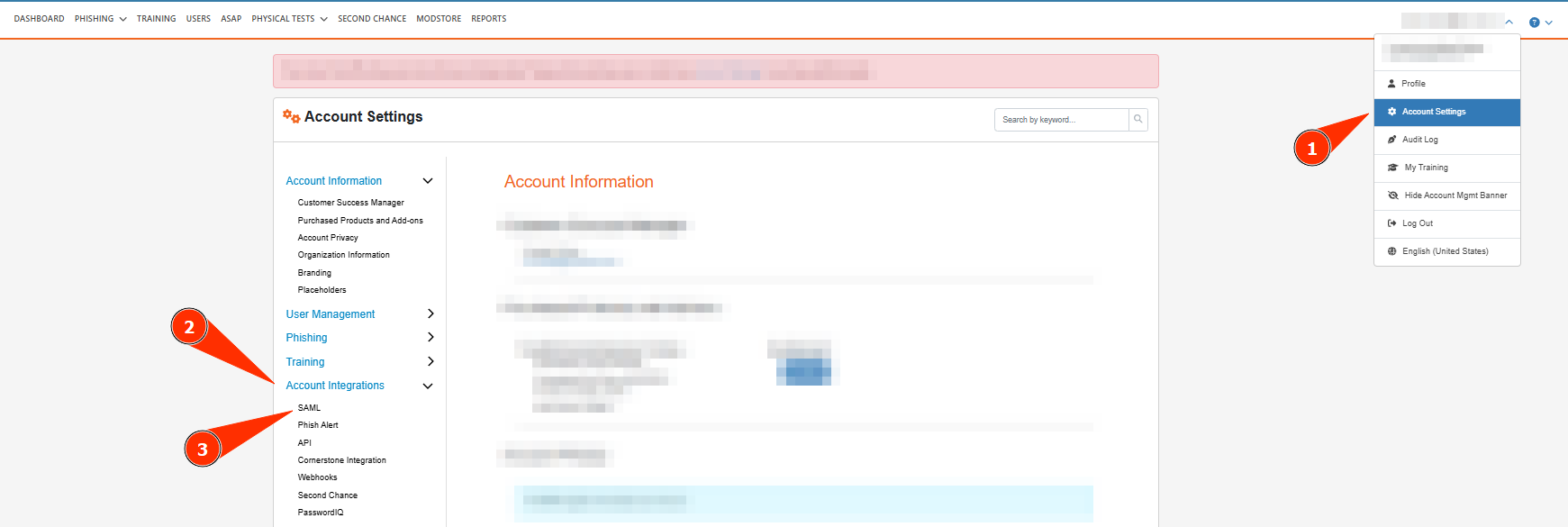
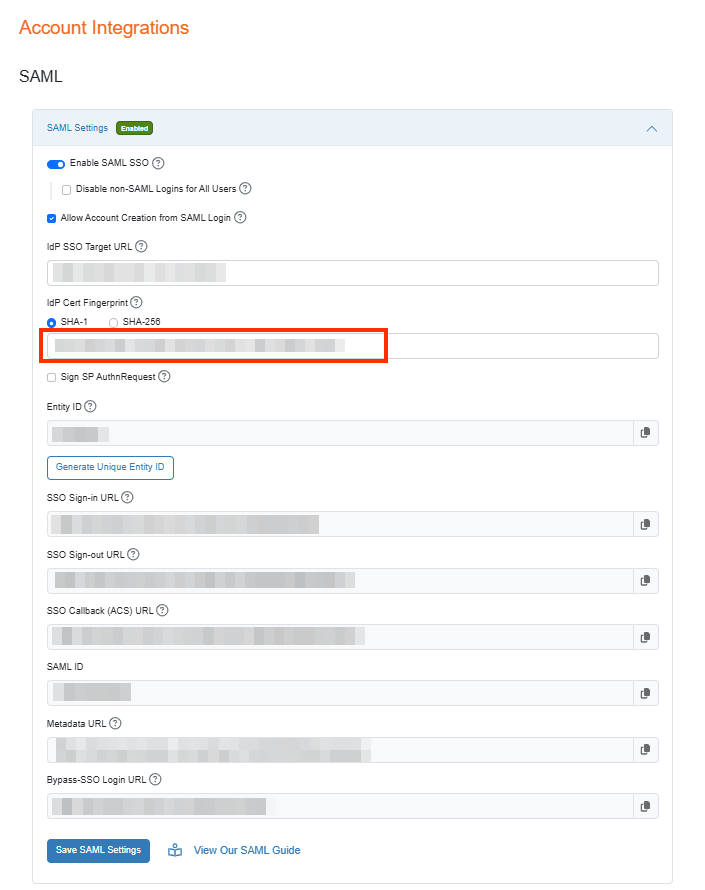
- Open AD FS Management.
- Select the Certificates folder under Service.
- Select the Token-signing certificate.
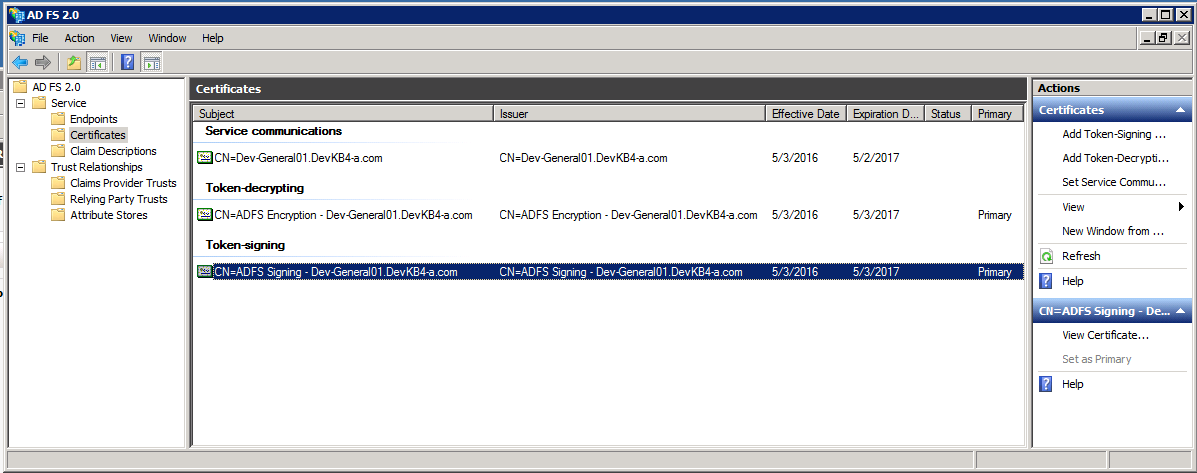
- Select the Details tab.
- Select the Thumbprint option.
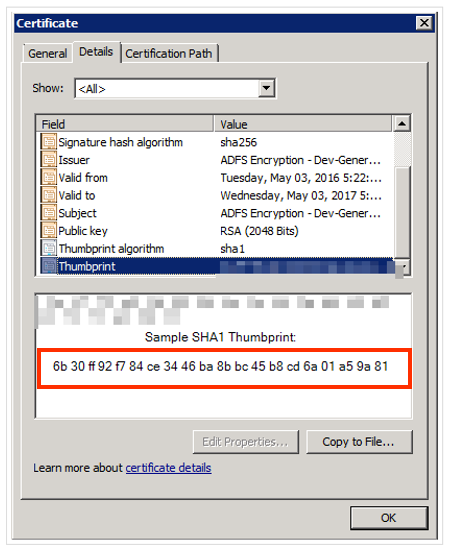
- Copy your unique thumbprint.
5. Save the changes and verify that the SSO login is working correctly.
4.1 Glossary
Term | Meaning |
ADFS | Active Directory Federation Services |
IDP | Identity Provider |
SSO | Single Sign-On |
4.2 Tools & Resources
- KnowBe4 Admin Console
- ADFS Server
- ADFS Management Console
Was this article helpful?
That’s Great!
Thank you for your feedback
Sorry! We couldn't be helpful
Thank you for your feedback
Feedback sent
We appreciate your effort and will try to fix the article